CCBP-aaS Setup Guide
This guide provides step-by-step instructions to set up the Cloud Continuum Blueprint Platform on the SLICES BI. The setup consists of the following steps:
Instantiate the CCBP-CLI
Initialize the SFCC
Connect to the VPN
Obtain the configuration to interact with the SFCC
Install the SLICES-BI Operator
On This Page
CCBP-CLI
The CCBP-CLI is currently supported in two execution modes:
Local: the CCBP-CLI is installed and run on the local machine. This mode is recommended for users who want to have full control over the CCBP-CLI and its dependencies.
RemoteVM: the CCBP-CLI is installed and run on a remote virtual machine. This mode is recommended for users who want to have a dedicated environment for the CCBP-CLI without installing it on their local machine.
Local setup
Create a folder named SlicesFile with the required subfolders. The .slices and .ssh folders store SLICES credentials and SSH keys respectively, VPNConfigs holds WireGuard client configurations, and kubeconfigs holds kubeconfig files for accessing the CCBP control plane( called sfcc) and Kubernetes clusters created.
mkdir -p SlicesFile/.slices
mkdir -p SlicesFile/.ssh
mkdir -p SlicesFile/VPNConfigs
mkdir -p SlicesFile/kubeconfigs
Pull the CCBP-CLI Docker image from the registry:
docker pull registry.gitlab.com/mmw_unibo/platformeng/ccbp-cli:latest
If you want to also rename it locally for easier reference:
docker pull registry.gitlab.com/mmw_unibo/platformeng/ccbp-cli:latest && docker tag registry.gitlab.com/mmw_unibo/platformeng/ccbp-cli:latest ccbpcli:latest
!!! The container configuration is clean at each startup. !!! To maintain configuration across sessions, and to access credentials and kubeconfig files from the host, you need to mount local directories into the container.
docker run -it --rm \
  --mount type=bind,src=./SlicesFile/.ssh,dst=/root/.ssh \
  --mount type=bind,src=./SlicesFile/.slices,dst=/root/.slices \
  --mount type=bind,src=./SlicesFile/VPNConfigs,dst=/VPNConfigs \
  --mount type=bind,src=./SlicesFile/kubeconfigs,dst=/SlicesFile/kubeconfigs \
  ccbpcli /bin/bash
For frequent usage, you can create an alias in your shell configuration file (e.g., .bashrc or .zshrc) to simplify the command:
echo "export PATH=\$PATH:$HOME/SlicesFile/ccbp-cli" >> ~/.bashrc
echo "alias ccbpcli='docker run -it --rm \
  --mount type=bind,src=$HOME/SlicesFile/.ssh,dst=/root/.ssh \
  --mount type=bind,src=$HOME/SlicesFile/.slices,dst=/root/.slices \
  --mount type=bind,src=$HOME/SlicesFile/VPNConfigs,dst=/VPNConfigs \
  --mount type=bind,src=$HOME/SlicesFile/kubeconfigs,dst=/SlicesFile/kubeconfigs ccbpcli'" >> ~/.bashrc
source ~/.bashrc
RemoteVM setup
wget gitlab.com/MMw_Unibo/platformeng/ccbp-cli/-/raw/main/cloud-inits/ccbpcli.yaml?ref_type=heads –O ccbpcli.yaml
slices bi --infra-id be-gent1-bi-vm1  create dev  --flavor medium --user-data ./ccbpcli.yaml --experiment dev --wait
slices bi ssh dev --experiment dev
Initialize the SFCC
Once you have access to the CCBP-CLI, you can initialize the SFCC by running the following command:
InitSFCC <project_name> [<ccbp_experiment_name>]
# e.g.
InitSFCC ccbp ccbp-base
Connect to the VPN service
Download the WireGuard configuration files from the access VM and store them in /VPNConfigs:
getVpnConfigs <project_name> [<ccbp_experiment_name>]
# e.g.
getVpnConfigs ccbp ccbp-base
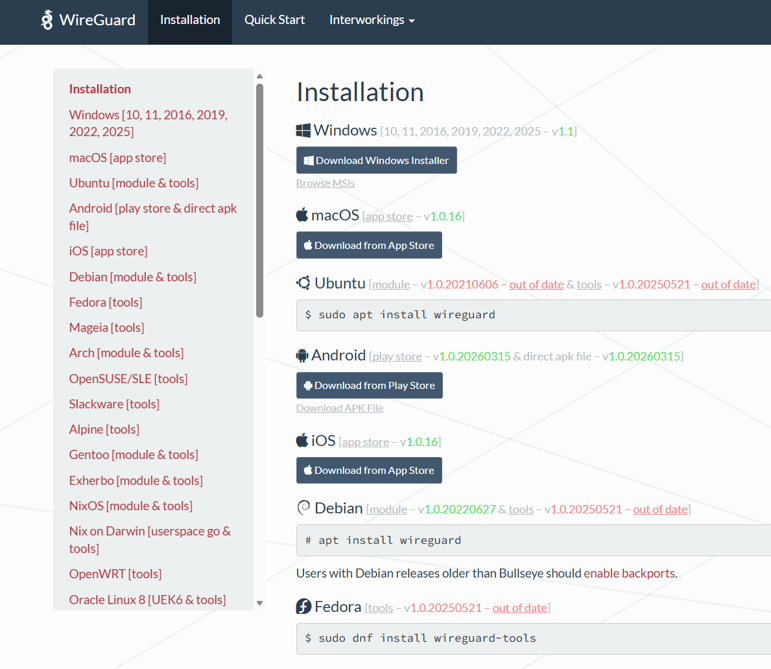
Connect using WireGuard and one of the downloaded configuration files. The exact command may vary based on your operating system and VPN client, but here is an example for Unix-based systems with WireGuard installed:
sudo wg-quick up SlicesFile/VPNConfigs/<name_of_the_vpn_config_file>.conf
On Windows, you can use the WireGuard client to import the configuration file and connect to the VPN.
Install the Slices-BI Operator
Setup is now complete, and you can proceed to obtain the kubeconfig file to interact with the SFCC control plane.
InstallSlicesBIOperator <project_name> <ccbp_experiment_name>
# e.g.
InstallSlicesBIOperator ccbp ccbp-base
DONE
You can now navigate the documentation of services provided by the CCBP, and start defining your infrastructure and experiments. For a quick walkthrough of the CCBP usage, you can check the simple infrastructure experiment described in the Infrastructure Basic Experiment page.